How BuckTime! works in your home
One app, on your phone and your child's. You set a goal, and BuckTime! brings the free screen time down to it, step by step. Your child makes the choice every day.
Download BuckTime! on your phone.
It's free on the App Store and Google Play. Create your parent account in a couple of minutes.
Add your child and connect their device.
Install BuckTime! on their phone or tablet and pair it with a code or QR code. Works on iPhone, iPad and Android, and you can add their Mac or PC too.
Set the goals and the daily amount.
Choose how much screen time is free on school days and at weekends, what a day is worth, and which apps count. Then let it run.
See it in action
The whole setup, start to finish, in two minutes.
Two phones, one daily choice
You set the plan from your phone. Your child sees their money, and decides.
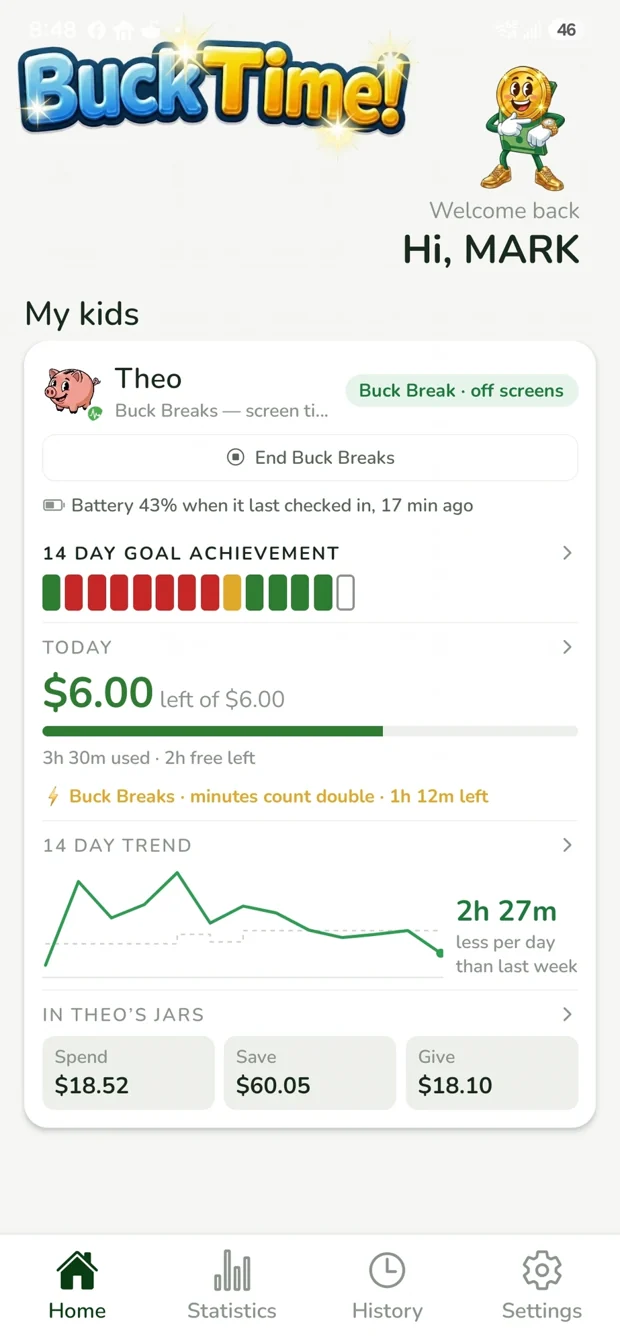 On your phone
Parent app
- Set the daily amount and how much screen time is free
- Set a screen time goal, and watch the free time step down toward it
- Choose which apps and devices count
- Add Buck Breaks: one-hour stretches, like dinner or homework, when screen time costs double
- See each child's day, and two weeks of screen time and earnings side by side
- Get a suggested change when a goal isn't working
- Approve payouts, and pay your child yourself
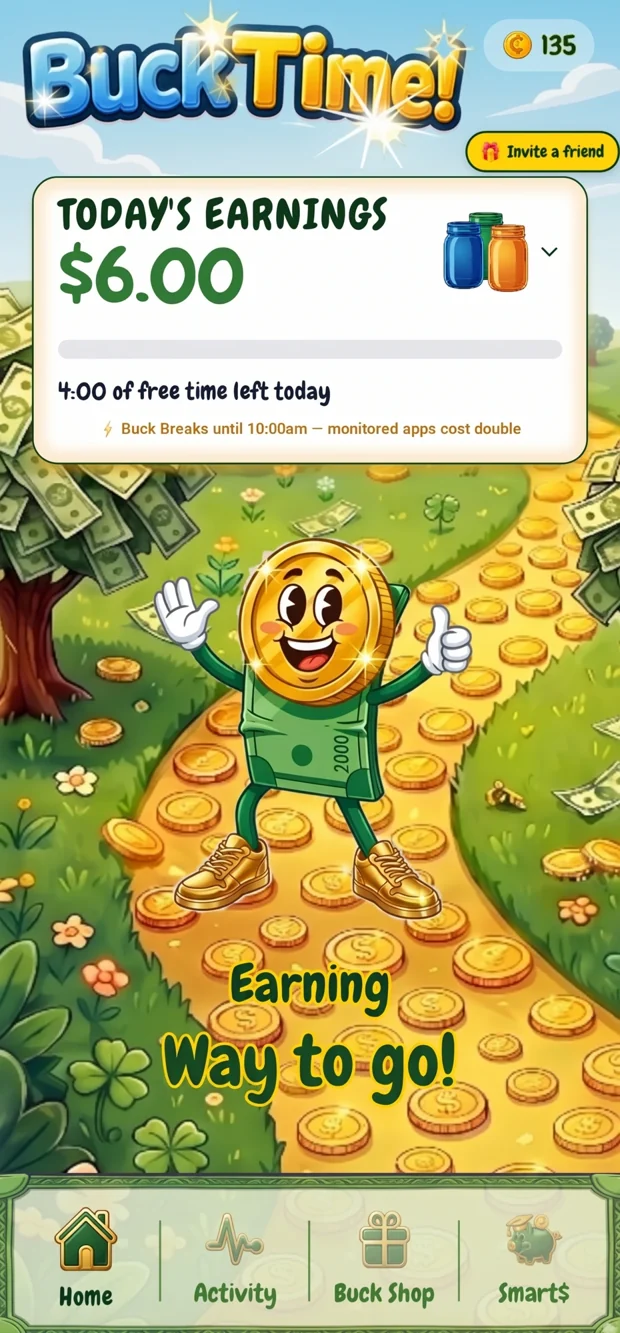 On your child's device
Child app
- The whole day's money is theirs from the morning
- They can always see the price, and what's left
- Nothing is ever locked. They decide if it's worth it
- What they keep goes into Spend, Save and Give jars
- Money School and the Word Bank teach the basics
- Moving earns extra too, with Get Movin'
Set the goals, see the plan
These are the same questions you answer in the app. Move the sliders to see what a day looks like for your child, and how the goal comes down over the weeks.
Not sure what goal to set? Canada's guidelines recommend no more than 2 hours of recreational screen time a day for ages 5 to 17.
Canadian 24-Hour Movement GuidelinesScreen time reduction plan
Hover over or tap a week to see that day.
- Each day starts with $5.00.
- Up to 3h 15m on a school day and 4h on weekends costs nothing.
- Every half hour of screen time in the drain zone costs $3.33. Once the drain zone is depleted, the balance is $0.00.
About 5 weeks to 1h 30m on school days, if your child holds each week's goal.
A day with BuckTime!
- Morning
The day starts full.
Today's allowance is already in your child's account.
- After school
Free time first.
Screen time up to the goal you set costs nothing.
- Dinner
A Buck Break.
For one hour, minutes on the counted apps cost double.
- Evening
Their choice.
One more episode, or more money to keep? They can see the price before they decide.
- Bedtime
What's left is theirs.
Whatever they didn't spend on screens goes into their jars. Tomorrow starts full again.
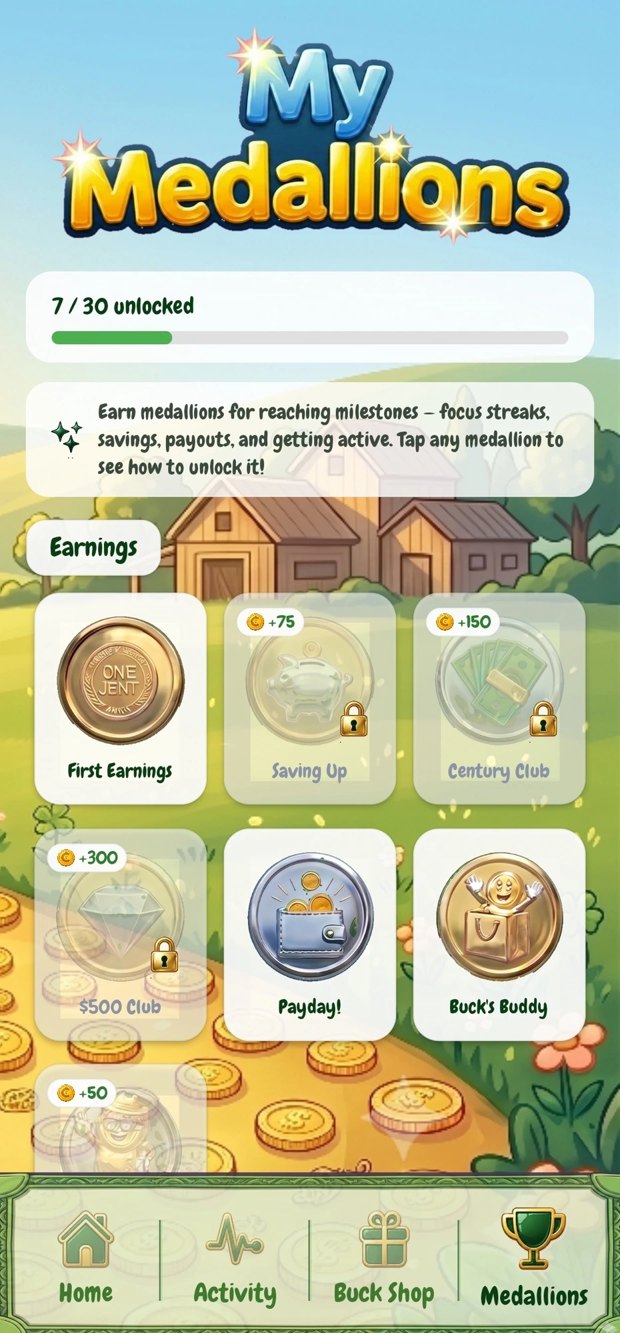
Where the money goes
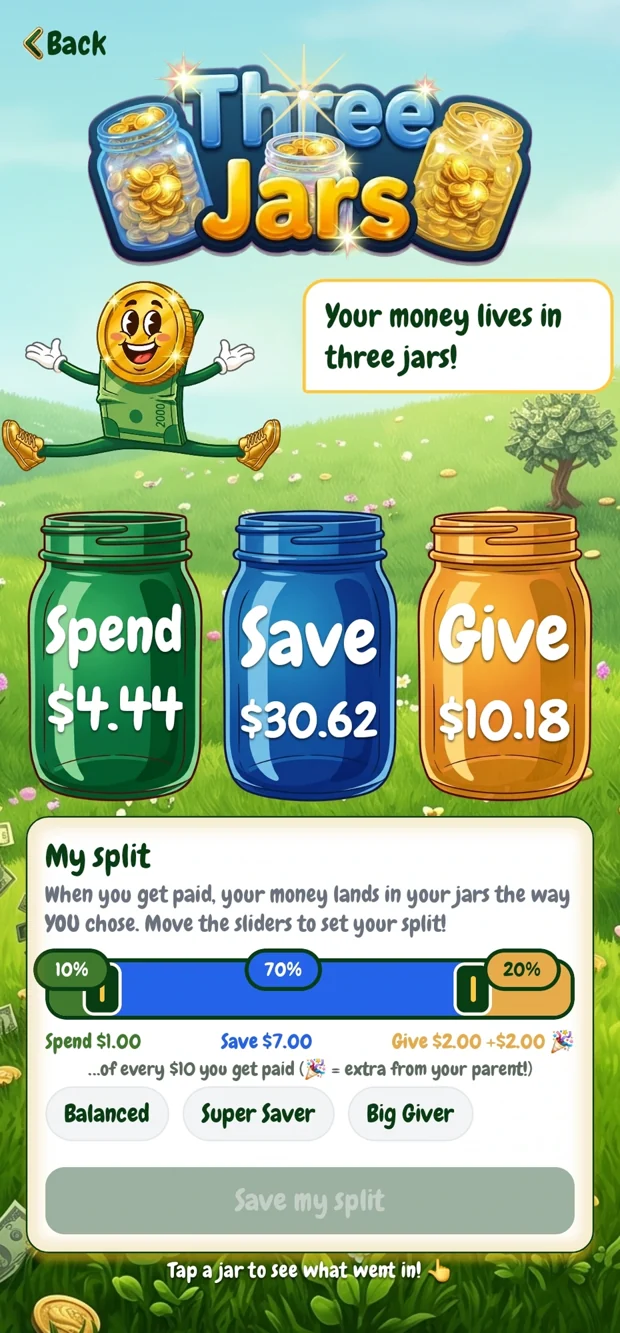
Spend, Save and Give
What your child keeps splits into three jars. They choose the split, and a dream to save for.

Giving, built in
With Dough'Nate, your child picks from over 25 Canadian charities. You make the donation.
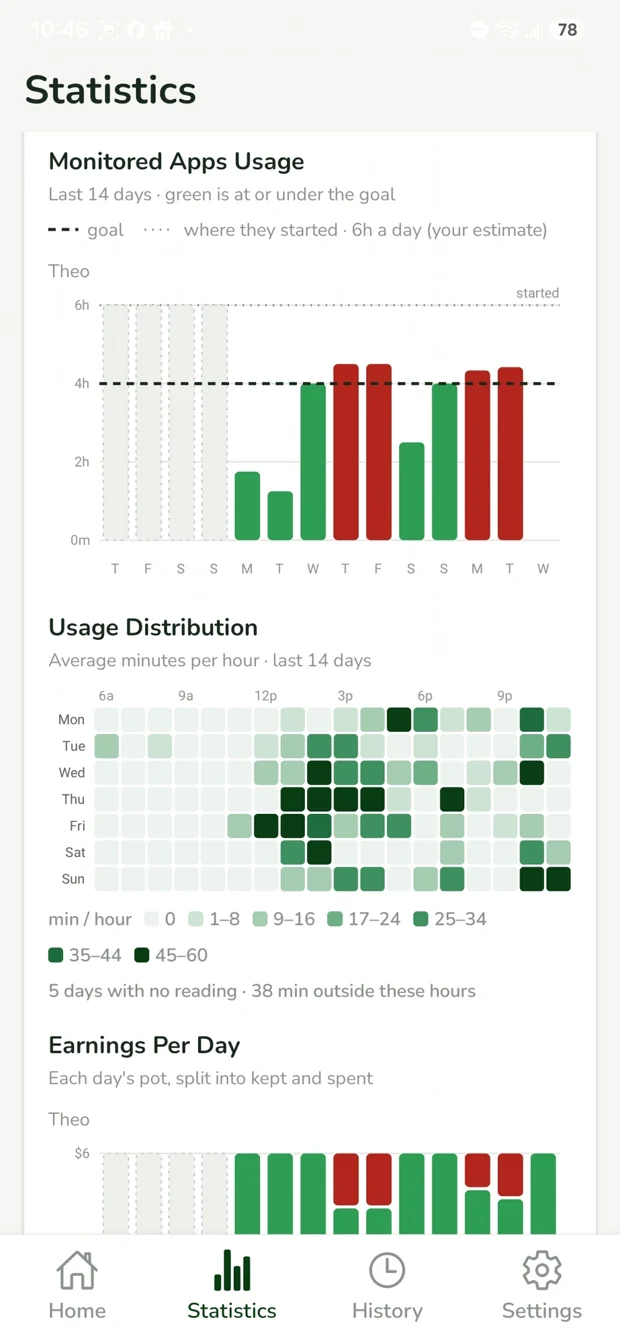
Watch the hours come down
Statistics shows screen time, week by week, so you can see the change together.
Not sure where to start?
Giving a first phone or tablet?
Our free 14-page guide has the eight things to set up before the handover.
Need a hand with setup?
Step-by-step guides for iPhone, iPad, Android, Mac and PC.
Try it with your family
Free to download. Basic is free for one child and one device. Family is CA$6.99 a month.